 Habiter
Wake-up alarm for iPhone
An alarm that counts your early mornings.
The Wake up early template sets a wake-up time and, on iOS 26, a real alarm like the Clock app's: it rings on silent and through Focus. When you stop it, Habiter ticks the habit for the day, so every early morning is counted.
 Free · No account · No ads
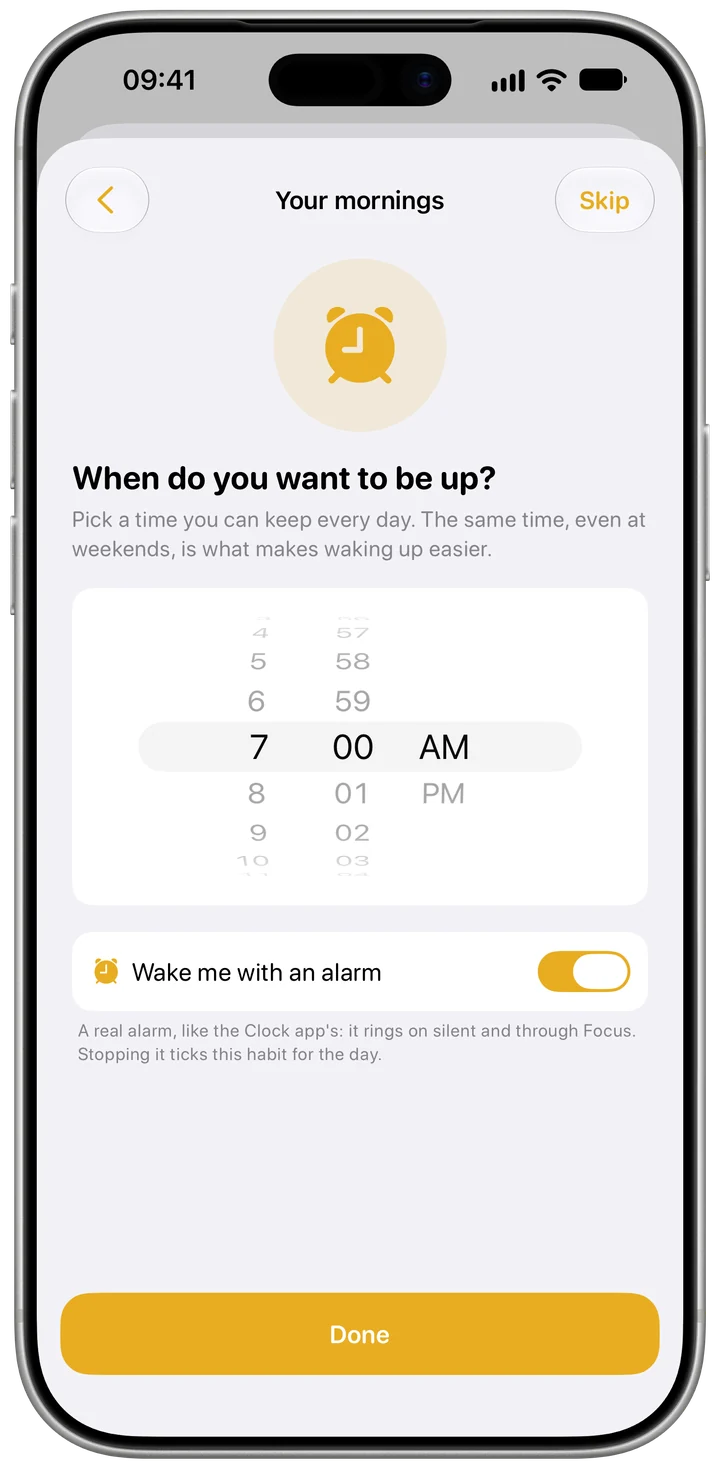
How it works in Habiter
- 1
Pick your time
Choose when you want to be up; 7:00 to start. The alarm repeats on the habit's days.
- 2
A real alarm
"Wake me with an alarm" sets an alarm that rings on silent and through Focus. On iOS 18 and on Mac you get an ordinary reminder at that time instead.
- 3
Stop it to tick it
Stopping the alarm ticks the habit for today. You can also tick it by hand.
- 4
A bedtime nudge
On iOS 26, about eight hours before the alarm, a Live Activity on the Lock Screen counts down to it with a "Bedtime" note.
Making it stick
- Move it in small steps
Setting the alarm 15 minutes earlier each week is easier than jumping an hour at once.
- Pair it with Sleep early
Waking early holds when bedtime moves too; the Sleep early template is one tap away.
- Put the phone across the room
Getting up to stop the alarm is half the battle.
What you get for free
- A real alarm that rings on silent (iOS 26)
- The habit ticked when you stop the alarm
- A countdown to the alarm on the Lock Screen (iOS 26)
- An ordinary reminder on older iOS versions
Questions people ask
Is the wake-up alarm free?
Yes, with no ads. The free plan keeps up to 5 habits.
Which iPhones get the real alarm?
Any iPhone on iOS 26 or later. On iOS 18, Habiter reminds you with a notification at your wake-up time instead.
Does the alarm sync to my other devices?
No. Alarms belong to each device; another device asks for permission before it can ring.
Similar habits
Daily walk
A walk timer that fills toward a 20-minute goal, or a step goal Apple Health completes for you.
Study
A daily study goal in minutes with a one-tap focus timer that ticks the day when you finish.
Meditation
A ten-minute meditation timer with guided breathing, calming sounds and a bell at the end.