 Habiter
No-spend day tracker for iPhone
One no-spend day at a time.
The No-spend day template is a simple daily check-off: on a day you buy nothing beyond what you planned, you tick it off. Habiter keeps the streak, the calendar and a reminder at noon.
 Free · No account · No ads
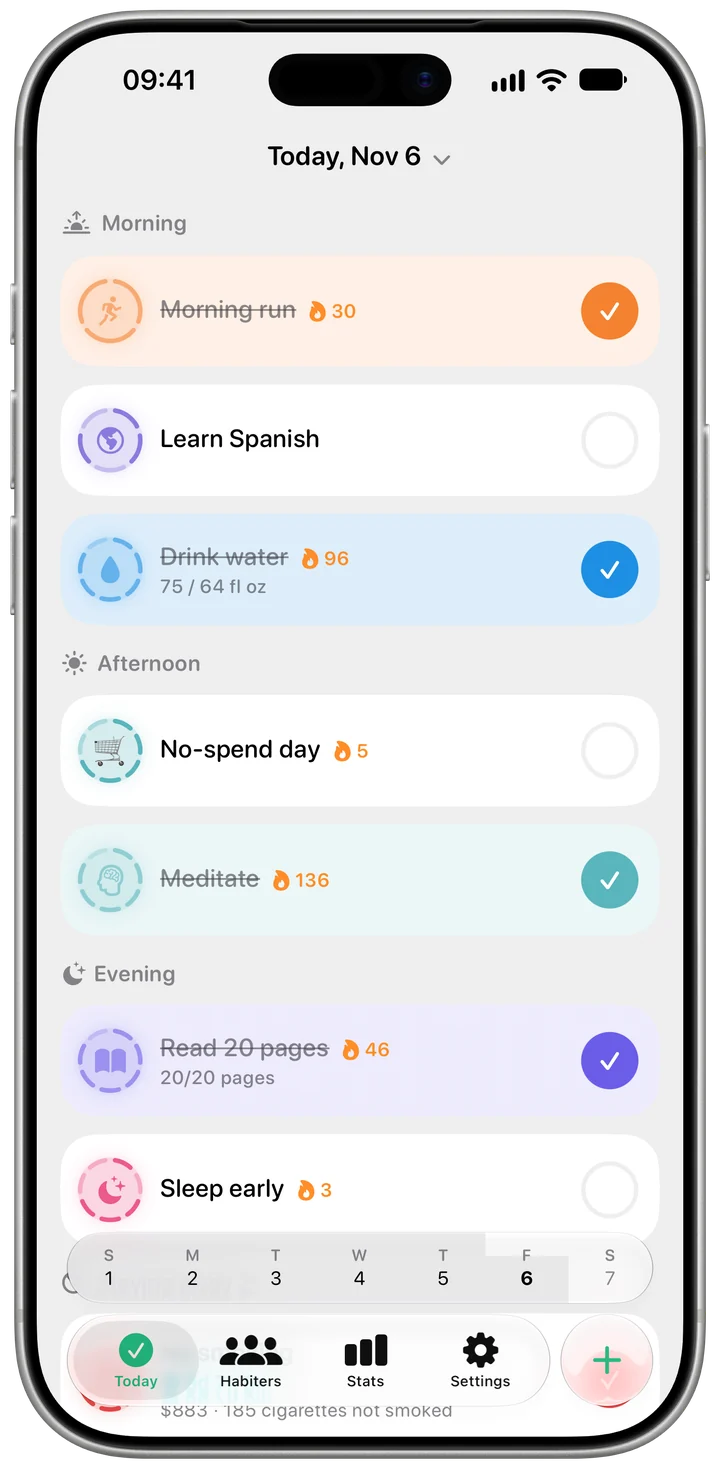
How it works in Habiter
- 1
Set your rule
Decide what a no-spend day means for you, for example nothing beyond groceries and bills. Habiter doesn't need your bank; you're the one who ticks.
- 2
Tick it off
Tap the habit on Today, or swipe right to complete it. A reminder comes at noon; change the time or remove it.
- 3
Keep the streak
From two days in a row, a flame shows your streak, and Habiter celebrates 7, 14, 30, 100 and 365 days.
- 4
Look back
The habit page shows your current and best streak, how many days you've done it and the last 30 days.
Making it stick
- Pick fixed no-spend days
Two or three set days a week are easier to keep than "as many as I can". Set the habit to repeat only on those days.
- Pair it with Save money
The Save money template is another daily check-off: tick it on the days you put something aside.
- For a counter, use Impulse shopping
To count the days since you last bought on impulse, use the Impulse shopping template in "Quit a habit"; enter what it used to cost you and it also shows the money saved.
What you get for free
- A daily check-off with a reminder
- A streak, celebrated at 7, 14, 30, 100 and 365 days
- A calendar and the last 30 days on the habit page
- Any schedule: every day or the days you choose
Questions people ask
Is the no-spend tracker free?
Yes, with no ads. The free plan keeps up to 5 habits.
Does it connect to my bank or track amounts?
No. Habiter doesn't see your spending; you tick the day yourself. There is no money total in this template.
Can I do a month-long no-spend challenge?
Yes. Keep the habit on every day and tick each no-spend day; the calendar shows the month at a glance.
Similar habits
Quit drinking
An alcohol-free counter with drinks not had, money saved and a three-minute craving timer.
Healthy eating
Breakfast, lunch and dinner reminders, a photo before you eat and a week-long meal diary.
Study
A daily study goal in minutes with a one-tap focus timer that ticks the day when you finish.