 Habiter
Push-up counter for iPhone
Fifty push-ups a day, ten at a time.
The Do push-ups template sets a goal of 50 reps a day and adds 10 with each tap, so you can spread them across the day. A moving figure shows the form, and the habit page keeps every set you add.
 Free · No account · No ads
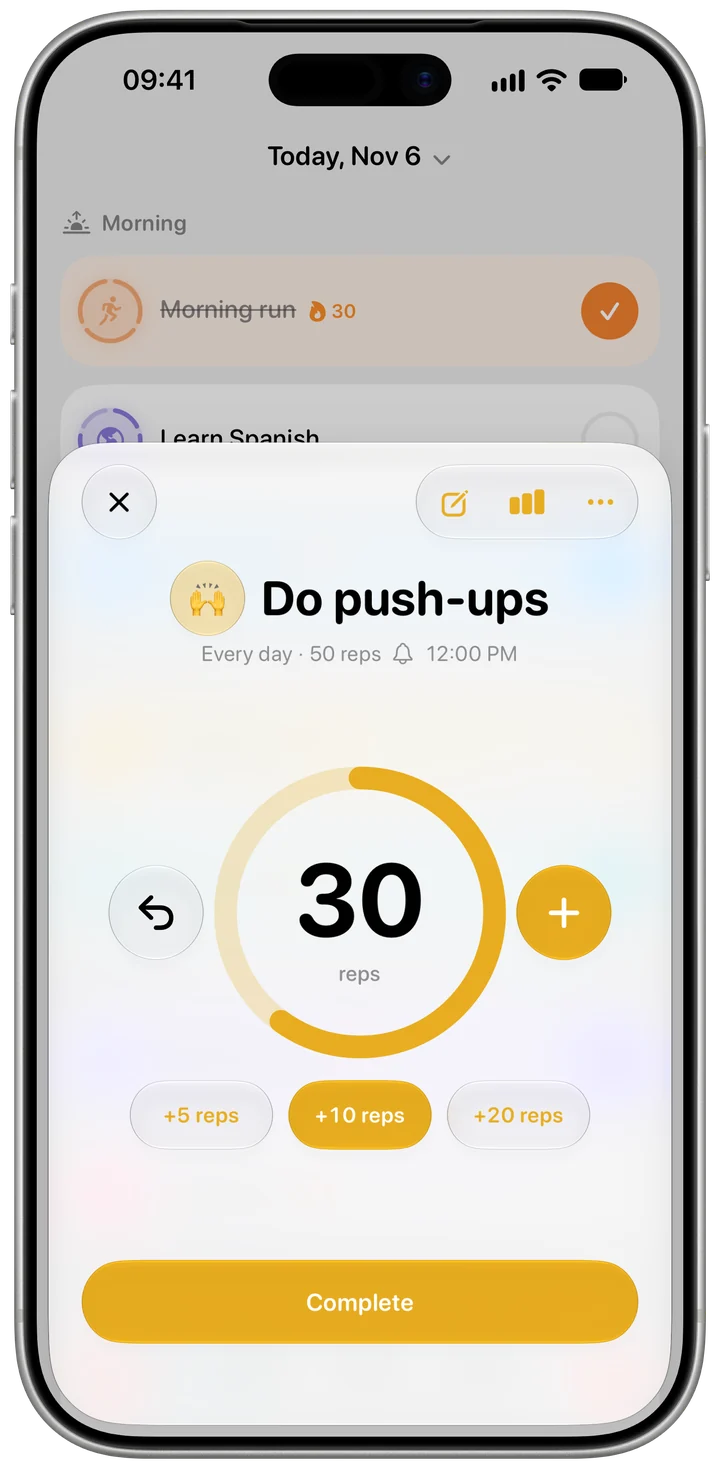
How it works in Habiter
- 1
Set your goal and variation
50 reps a day to start, with 30 and 100 a tap away. Pick the push-up that suits you: wall, incline, knee, standard or decline.
- 2
Tap after each set
Each tap on Today adds 10 reps; choose 5, 20 or 25 instead if your sets are different. The row shows how far you are, for example 30/50.
- 3
See every set
The habit page lists today's sets with their times, each one removable, and how many reps are left.
- 4
Look at the week
A seven-day chart shows your daily average, the days you met the goal and your best day.
Making it stick
- Spread them out
Five sets of ten across the day are easier than fifty at once. Try a set before breakfast, lunch and dinner.
- Start with an easier variation
Knee or incline push-ups with good form beat sloppy standard ones; move up when 50 feels easy.
- Raise the goal slowly
Go from 50 to 100 in steps, not in one jump.
What you get for free
- A daily rep goal with one-tap sets
- Five push-up variations
- Every set listed with its time
- A seven-day chart
With Habiter Pro you also get the Progress card.
Questions people ask
Is the push-up counter free?
Yes, with no ads; only the Progress card needs Pro. The free plan keeps up to 5 habits.
Does it count reps with the camera or sensors?
No. You add your reps yourself with a tap after each set.
Can I do push-ups as part of a workout instead?
Yes. The Bodyweight workout template runs guided sessions with push-ups and other moves.
Similar habits
Home workout
Bodyweight workouts planned for your level, with a drawn guide, a voice coach and rep counting.
Stretching
Guided stretch routines for the morning, the desk or bedtime, with timed holds and a voice coach.
Daily walk
A walk timer that fills toward a 20-minute goal, or a step goal Apple Health completes for you.