 Habiter
Stretching routine for iPhone
A daily stretch that shows you the way.
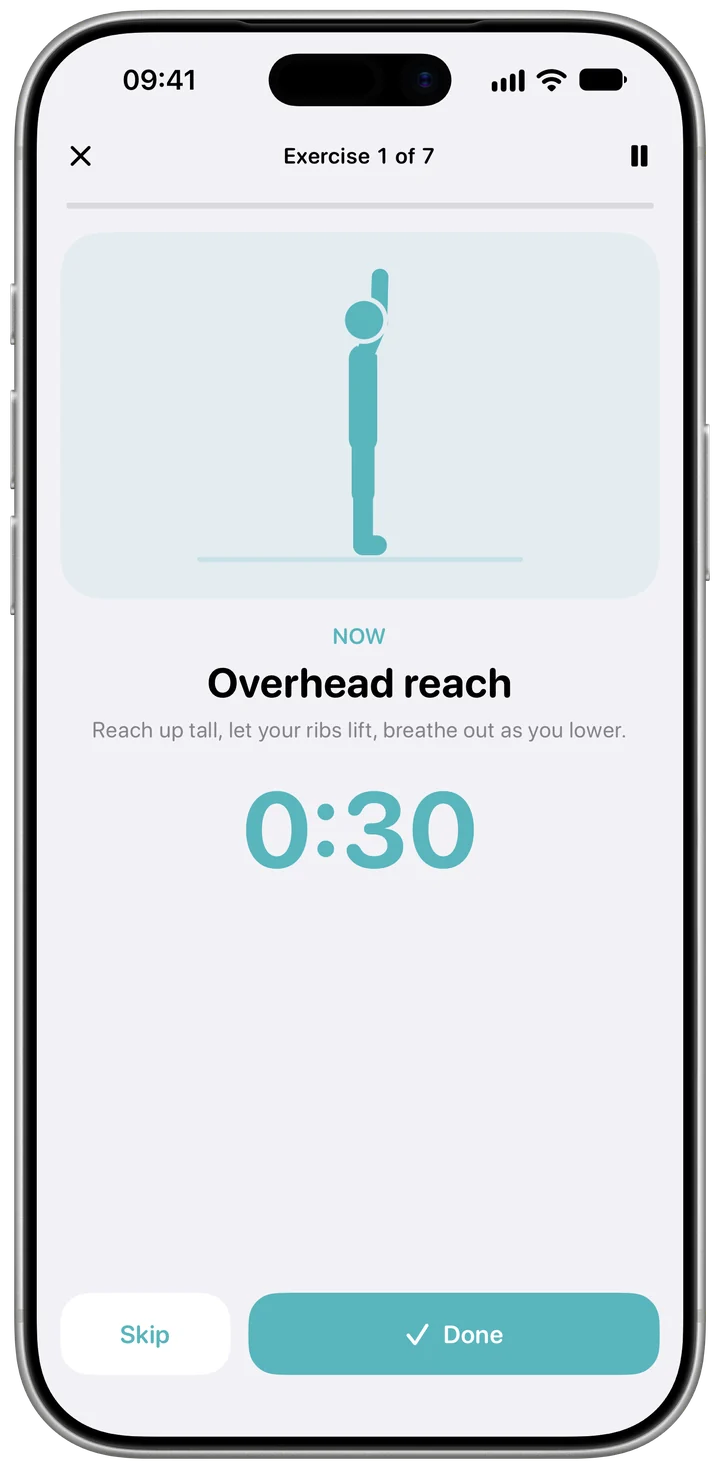
The Stretch template comes with a guided routine: each stretch shows a drawn figure, holds count down, and a voice coach tells you what's next. Pick a routine for the morning, your desk, the whole body or before bed.
 Free · No account · No ads
How it works in Habiter
- 1
Choose a routine
Morning wake-up comes set; Desk stretch, Full-body stretch and Before bed are one tap away. You can also build your own from the list of moves.
- 2
Follow along
After a ten-second get-ready, every stretch is a timed hold that counts down with a 3-2-1, with a short rest before the next. The voice coach tells you what comes next.
- 3
Ticked when you finish
One finished session completes the day. Start it from the play button on Today.
- 4
Save it to Apple Health
Turn on "Save to Apple Health" and each session is saved as a flexibility workout.
Making it stick
- Stretch at the same moment each day
Right after waking, at a work break or before bed. The routine names make it easy to match one to the moment.
- Keep it short to keep it going
A short routine done every day adds up to more than a long one done once a week.
- Ease in
Hold each stretch where you feel a stretch, not pain. If a move hurts, skip it.
What you get for free
- Four ready routines, plus your own
- Timed holds with a countdown
- A drawn figure for every stretch and a voice coach
- Sessions saved to Apple Health, if you turn it on
With Habiter Pro you can build your own routines with more than three moves and see the Progress page.
Questions people ask
Is the stretching routine free?
Yes. The routines, the guided sessions, the voice coach and saving to Apple Health are free, with no ads. The free plan keeps up to 5 habits.
Can I stretch at my desk?
Yes. Desk stretch is a routine of standing stretches you can do next to your desk.
Does it work with Apple Health?
Yes, if you turn on "Save to Apple Health": each finished session is saved as a flexibility workout.
Similar habits
Home workout
Bodyweight workouts planned for your level, with a drawn guide, a voice coach and rep counting.
Meditation
A ten-minute meditation timer with guided breathing, calming sounds and a bell at the end.
Daily walk
A walk timer that fills toward a 20-minute goal, or a step goal Apple Health completes for you.