 Habiter
Home workout tracker for iPhone
Bodyweight workouts that fit your week.
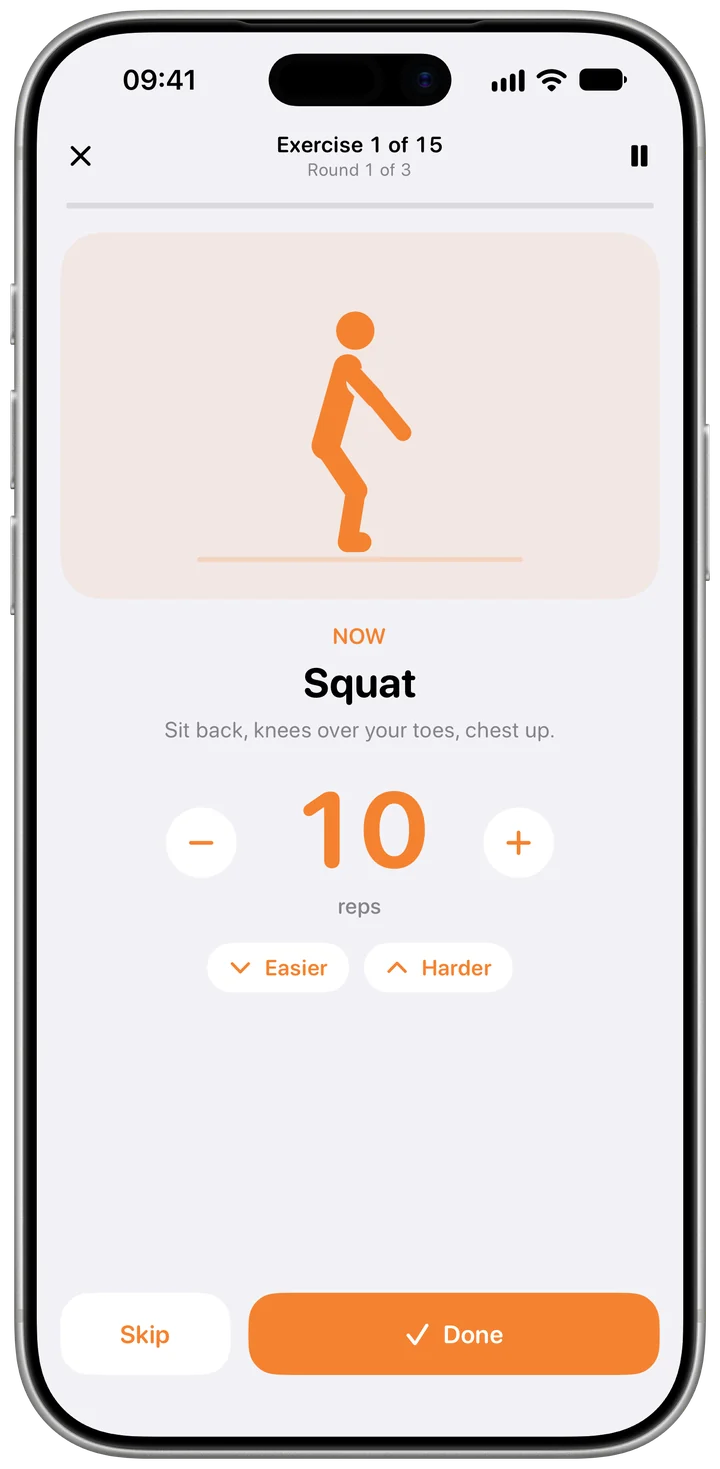
The Bodyweight workout template asks a few questions, then builds a plan for your level, your space and the time you have. Every move has a drawn figure showing how it's done and a voice coach that talks you through it, and the habit counts your workouts toward a weekly goal.
 Free · No account · No ads
How it works in Habiter
- 1
Answer five questions
Your aim (get stronger, improve fitness or build a routine), your level, how many workouts a week, 10 to 30 minutes each, and whether you have a pull-up bar or want a plan without jumps or floor work. Habiter builds the plan from that.
- 2
Follow the session
After a ten-second get-ready, each move shows a drawn figure and a form cue. Enter your reps with − and +, let holds count down, and skip or pause any time.
- 3
It adjusts to you
Make a move easier or harder during the session. Finish a move cleanly twice and it steps up to a harder version next time.
- 4
Three a week to start
The Today screen shows this week's workouts, for example 1 of 3, with a play button to start. Trained somewhere else? "Done elsewhere? Mark it" counts it too.
Making it stick
- Pick days you can keep
Three workouts a week on fixed days beat an ambitious plan you drop in the second week.
- Start easier than you think
The plan grows with you: moves step up after two clean sessions, so starting low costs nothing.
- Answer "How did it feel?"
After each workout the summary asks how it felt and shows your best sets. Use it to decide whether to go harder next time.
What you get for free
- A plan built for your level, space and time
- Four ready routines, plus your own
- A drawn guide and a voice coach for every move
- Workouts saved to Apple Health, if you turn it on
Habiter Pro adds training programs for push-ups, squats, planks and pull-ups, a Progress page, your own routines with more than three moves and sending a workout to Apple Watch.
Questions people ask
Is the home workout free?
Yes. The plan, the ready routines, the guided sessions, the voice coach and saving to Apple Health are free, with no ads. Pro adds programs, the Progress page, your own routines with more than three moves and Apple Watch workouts. The free plan keeps up to 5 habits.
Do I need any equipment?
No. The moves use your body weight. If you have a pull-up bar, say so in the setup and the plan can use it; you can also ask for a plan without jumps or without floor work.
Does it save to Apple Health?
Yes, if you turn on "Save to Apple Health": each session is saved as a workout. "Count workouts from Apple Watch" can also count strength, HIIT and core workouts recorded in other apps toward your weekly goal.
Similar habits
Push-ups
A daily push-up goal you fill ten reps at a time, with easier and harder variations.
Stretching
Guided stretch routines for the morning, the desk or bedtime, with timed holds and a voice coach.
Daily walk
A walk timer that fills toward a 20-minute goal, or a step goal Apple Health completes for you.